
Google Search's Hidden Easter Eggs - Quick Brain Breaks to Recharge Student Engagement
Brain breaks are a great way to re-engage and re-energize students. One of my favorite is to share a Google Easter Egg when we need a reboot. Today I wanted to share a few favorites.
At the time of this post, all of these easter eggs can be discovered on the Google Search Home Page. Some of these don’t always seem to load with Educational Google Accounts. If it doesn’t work, try Incognito or a Personal Account.
Are you a cat or a dog person? Whichever you prefer, Google has both for you.
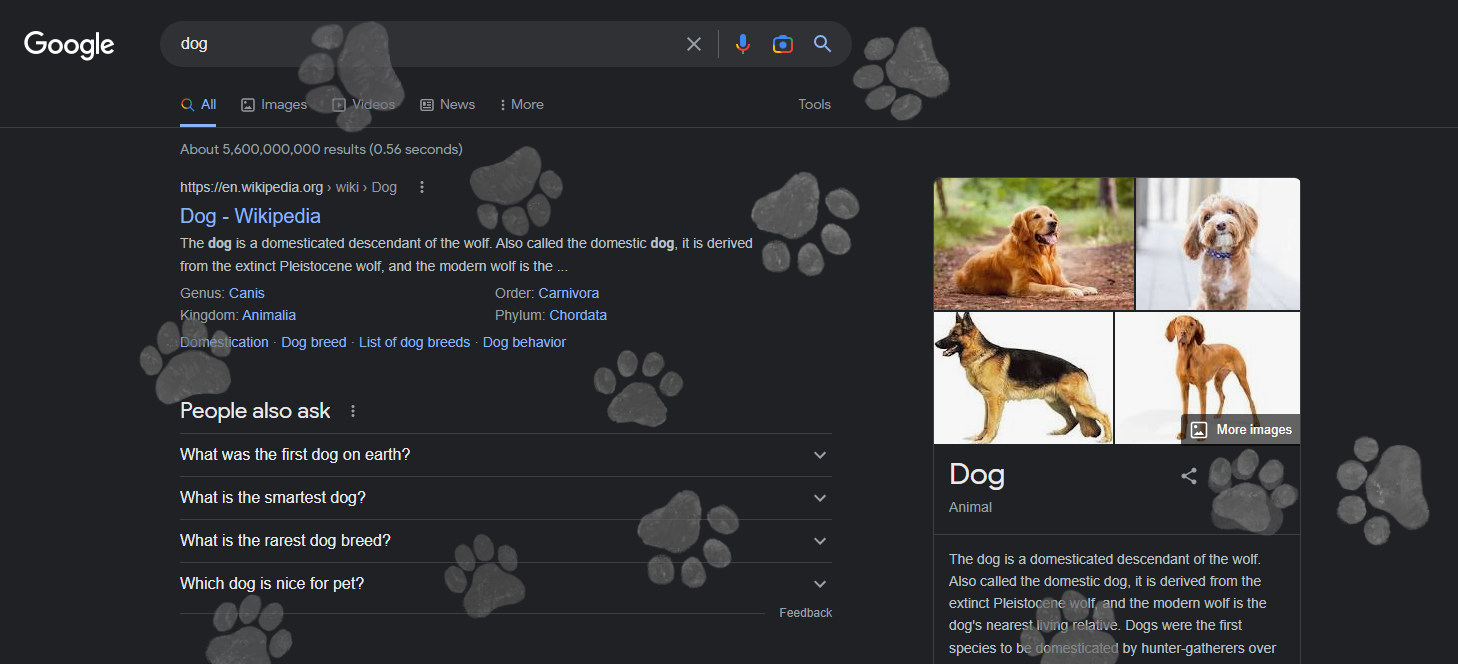

Try it yourself with the sound on. Be sure to clear the screen for a clean-up bonus.
Type “cats” or “dogs” in Google search. Find the paw and start clicking.
Here are some more of our favorites.
The Fresh Prince of Bel Air
Type “the fresh prince of bel air” in Google. Click on the license tag
Be sure to click the back button after exploring all of the
Super Mario Brothers
Type “super mario brothers” in Google. Click on the question
Breathing Exercise
Type “breathing exercise” in Google. Click on play for a minute of mindfulness
Bonus: Click on the carrot to explore some fun “Games & Toys” | “Tools”
Askew
Mr C The Slide Man
Type “cha-cha slide” in Google. Click on the icons to keep it going.
Friends
Type the name of a Friend’s character in Google. Click on the icon on the right for some Friends nostalgia.
Random Number Generator / Spinner
Type “spinner” in Google. This opens a customizable (up to 20 numbers) random number wheel. We no longer need to hold our fingers behind our backs. It also doubles as a fidget spinner. You can also type “random number generator” for a simpler version.
Ask a Question
Type “fun facts” in Google. A random question and answer will appear. Click on “Ask Another Question” for even more knowledge.
Play Snake
Type “play snake” in Google. Click “Play”. You can also do the same with “play pacman” and “play tic tac toe”.
Animal Sounds
Type “what sound does a dog make” (no question mark) in Google. This will load an interactive collection of animal cards with sounds.
Earth Day Quiz
Type “earth day quiz” in Google. Answer the questions to discover your spirit animal.
We’ve also included all of these in this Google Document if you are looking for something to share directly with students or staff.
These occasionally disappear. Some of my old favorites like Zerg Rush don’t seem to work anymore, but there are many more to explore. In fact, there are way too many for this document, but a quick Google search for “Google Easter Eggs” will bring you even more. At last count, I think there are more than 100 of these hidden gems at any given moment.
If you are looking for additional Brain Break resources and ideas for your students, be sure to check out these resources.
Brain Breaks – Google Games and MoreWordle Inspired Games for the Classroom (Tony Vincent)Brain Breaks – Wordle Challenges for Students and ClassroomsIncredibox Brain Breaks – Curious Engagement MattersBrain Breaks – Primel Number and Ooodle Number Challenges for Students and ClassroomsDigital and Printable Coloring Brain Breaks – Anxiety and Stress Relief for Students and Adults